A little audio converter. Made for Mac.
Good sounds.
Right format.
From the sound you found to the thing you’re making.
Drop audio on your Mac, pick WAV, MP3, AAC, and more, and get back to your idea.
Apple silicon · macOS 14 or later
Drop them in
A small step.
A satisfying finish.
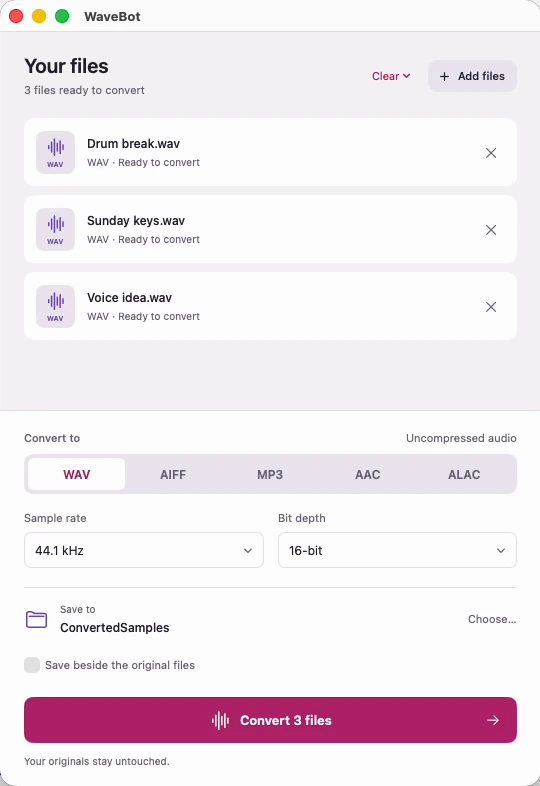
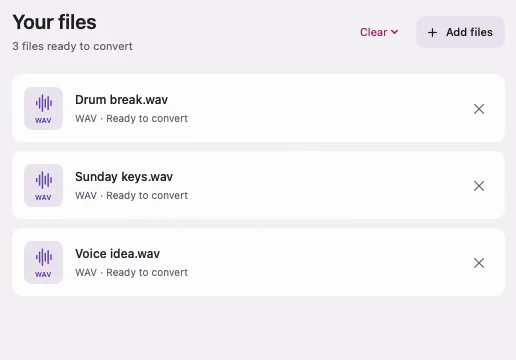
Drop files or folders into WaveBot, or onto its Dock icon. Audio inside nested folders joins the queue, too.
Make it yours
A few choices.
Just enough.
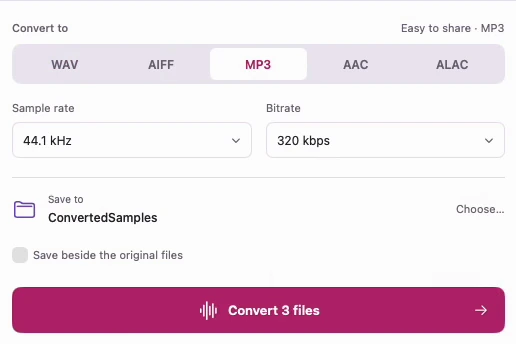
Pick your format and quality. Sample rate and bitrate are right where you need them, and your choices are saved for next time.
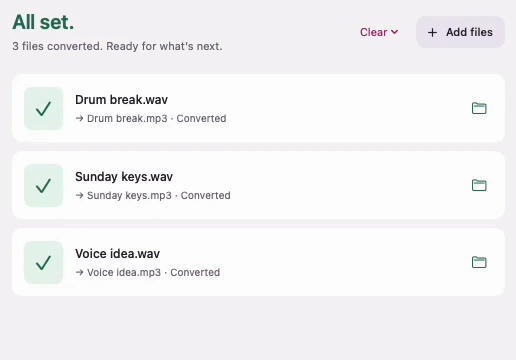
All set
That’s the
whole job.
Every finished file gets a clear checkmark. Open the results in Finder and get on with whatever you were making.
Built for the next step
Three jobs.
One little app.
Share a listening copy
Turn session files into an MP3 you can send without opening a DAW.
Explore MP3Prep for your project
Export WAV or AIFF when your timeline needs uncompressed audio.
Explore WAV & AIFFKeep a lossless library
Save ALAC for Apple-friendly copies that stay on your Mac.
Explore ALACNo upload. No account.
No monthly fee.
Make a listening copy to share. Choose from four bitrates, from 128 to 320 kbps.
256 kbps · WaveBot’s default MP3 setting
The right amount of control.
Pick a format.
Keep your settings.
Format, sample rate, and quality stay where you left them, so your next batch starts ready to go.
Watch the app in actionYour audio stays with you.
On your Mac.
Out of your way.
Conversion happens locally on your Mac. Your files never get uploaded to a website.
Pick an output folder or save beside the source files. WaveBot creates new files and leaves your originals alone.
About privacyA little app. Yours to keep.
Good tools don’t need
a monthly bill.
Try five successful conversions free.
When WaveBot fits your flow, make it yours.
Buy it once. Convert forever.
WaveBot 1.0- All five output formats
- Unlimited conversions after purchase
- Use on up to three Macs
- 14-day refunds on direct purchases
Ready for your Mac
Download the verified trial, then make WaveBot yours when it fits your flow.
Download the trial Buy WaveBot for $9.99A few good questions.
Can I download or buy it today?
Yes. Download the trial to convert five files successfully for free. A $9.99 license unlocks unlimited conversions on up to three Macs.
Which Macs can run WaveBot?
WaveBot requires macOS 14 Sonoma or later on an Apple silicon Mac. Intel Macs are not supported at launch.
Which formats can I convert?
WaveBot exports WAV, AIFF, MP3, AAC, and ALAC. It imports common audio formats including WAV, AIFF, MP3, M4A, and FLAC. AAC and ALAC outputs use the .m4a extension. FLAC export is not included.
Does converting to WAV improve the sound?
Converting a compressed recording to WAV won’t restore detail already lost. It gives you an uncompressed file for workflows that need it. Choose MP3 or AAC for smaller listening copies, or WAV, AIFF, and ALAC when your workflow calls for them.
How does the free trial work?
WaveBot includes five successful file conversions free. Each file counts once; failed or canceled conversions don’t use your allowance. After the trial, a $9.99 license unlocks unlimited conversions. Your converted files stay yours.
Is WaveBot an online audio converter?
No. WaveBot is a Mac app. Conversion runs on your computer. Files aren’t uploaded to WaveBot’s servers.
Can WaveBot convert FLAC?
WaveBot can import FLAC. It exports WAV, AIFF, MP3, AAC, and ALAC. FLAC export isn’t included.